
An online design tool can help you create professional-looking Realtor marketing materials without specialized design software. The key is to treat it as part of a print workflow, not as a substitute for planning and proofreading.
Start by choosing the product and its purpose, then gather approved branding, property information, images, and contact details. Build a layout suited to the format, review the artwork at its intended viewing distance, and confirm production details before ordering.
Step 1: Choose the Print Project and Its Purpose
Do not begin with a blank canvas. Decide what the material must help the viewer do. A For Sale sign may need to identify the property and agent immediately, while an Open House sign needs to direct visitors and communicate the event. A flyer can include more property detail, and a business card needs to make contact information easy to retain.
Real estate signs, flyers, business cards, postcards, brochures, door hangers, and roll-up banners are different design problems. Top Realtor Sign & Print lists these types of real estate marketing materials among its offerings, so select the product before choosing a layout.
| Project | Primary purpose | Content priority |
|---|---|---|
| For Sale sign | Identify the listing and agent quickly | Property status, agent identity, brokerage, contact path |
| Open House sign | Attract or guide visitors | Event message, address or direction, agent identity |
| Directional sign | Help people find the property or event | Arrow or direction, short message, recognizable branding |
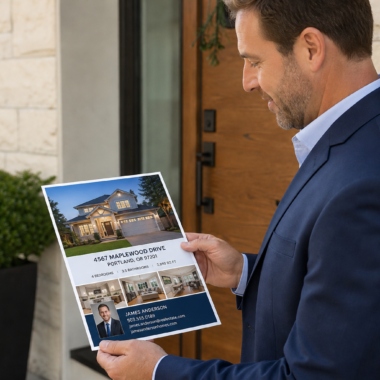
| Property flyer | Explain the listing and prompt follow-up | Strong photo, key features, details, contact information |
| Business card | Make future contact simple | Name, role, brokerage, phone, email, and relevant web address |
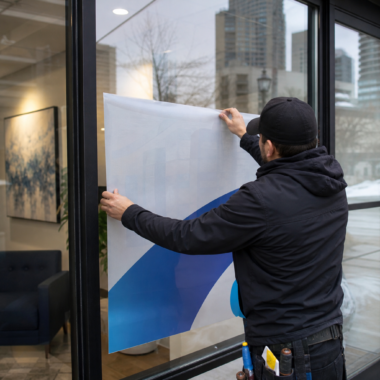
| Roll-up banner | Represent the agent or business at a distance | One clear message, brand identity, supporting image, contact path |
Write the main message in one sentence before you design. If you cannot explain the purpose briefly, the final layout may try to communicate too many things at once.
Stop point: Do not open the editor until you know the product, intended audience, main message, and action you want the viewer to take.
Step 2: Gather Your Content and Brand Assets

Collect the material you will need in one folder. This reduces the risk of using an outdated phone number, an unapproved logo, or an image that does not represent the property accurately.
- Current agent name, title, phone number, email address, and website.
- Approved brokerage logo, agent logo, colours, and required brand elements.
- Property address, listing details, Open House information, and other verified facts.
- High-quality property or headshot images that you have permission to use.
- One main headline and a short supporting message.
- A call to action, such as calling, emailing, visiting a website, or scanning a QR code.
- The destination URL or QR code, checked separately before it is added to the design.
These are practical preparation recommendations rather than a claim that every editor requires each item. The exact content depends on the product and campaign. A directional sign may need only a short instruction and branding, while a flyer may need several verified property details.
For repeat work, keep approved logos, colour references, contact blocks, and frequently used wording together. A broader realtor marketing workflow can combine a browser-based design editor with standardized templates and print-ready PDFs, making future listing updates easier to manage.
Stop point: Ask the agent or brokerage to approve content that could create a compliance or brand issue before you build the final artwork.
Step 3: Start With a Suitable Layout
Use the business’s online Design Editor as the starting point for your project. Depending on the product and editor workflow, you may be able to begin with a relevant template or a blank layout. Do not assume that a layout designed for one product will work unchanged on another.
Set your intended product and viewing context first. A sign viewed from a road needs a simpler hierarchy than a flyer handed to someone at an Open House. A business card needs compact organization, while a roll-up banner needs a strong composition that remains clear from farther away.
Place the most important information where the eye is likely to find it first. Add supporting details only if they help the viewer understand the offer or take the next step.
Stop point: If you are unsure whether the selected layout suits the product, pause before adding detailed text. Confirm the intended size and format with the print provider.
Step 4: Build for Fast Scanning
People often glance at real estate signage or promotional print materials before deciding whether to read further. The design should communicate its main point quickly, especially when the viewer is walking, driving past, or handling several pieces of information at an Open House.
When adapting an online design tool for fast scanning and high-contrast readability, focus on these principles:
- Use one dominant message. Make the listing status, event, service, or offer more prominent than secondary information.
- Create a clear hierarchy. Separate the headline, supporting details, and contact information so they do not compete equally.
- Keep contact details readable. A beautifully arranged design is not useful if viewers cannot identify the phone number, email address, or website.
- Use contrast deliberately. Text should remain distinct from photos, backgrounds, and decorative elements.
- Leave open space. Crowding makes accurate content harder to understand.
- Limit decorative choices. Too many fonts, colours, effects, or competing images can weaken the brand message.
Use the format to decide how much information belongs in the design. A property flyer can explain key features, but a yard sign should prioritize recognition and a clear next step. Move useful but nonessential information to a brochure, postcard, landing page, or follow-up conversation.
Review the design at a realistic scale before finalizing it. Zooming in on a screen can make small text appear more usable than it will be on the printed piece.
Step 5: Reuse Approved Branding Across Materials
Consistency does not mean copying the same layout onto every product. It means carrying recognizable elements across the listing kit while adapting the amount of information to each format.
Reuse approved logos, colours, contact blocks, image treatments, and wording patterns. Then change the hierarchy for the specific purpose. A For Sale sign may emphasize status and agent identity, while a flyer can use the same branding with a larger property image and more detail.
Save a clean master version before replacing listing-specific text or photos. Use a clear naming system that identifies the product, campaign, and revision. This helps prevent an old address or expired event date from appearing in a new order.
Keep a shared folder of approved assets and print-ready files. This gives an agent or team a repeatable starting point instead of requiring every project to be rebuilt from memory.
Stop point: Never reuse a previous listing file without checking every address, date, image, URL, phone number, and call to action.
Step 6: Review the Design Before Ordering
An online editor helps you assemble the artwork, but it does not replace careful proofing. Review both the content and the way it appears in the intended product.
Content check
- Is the agent name spelled correctly?
- Are the phone number, email address, website, and QR destination accurate?
- Does the property address match the listing information?
- Are the price, dates, times, and property features current?
- Are the logo and brokerage details approved for this use?
Visual check
- Can the main message be understood quickly?
- Does text remain readable against the background?
- Are important elements aligned and comfortably separated?
- Do images look suitable for the intended printed size?
- Does the design still work when viewed at a realistic distance?
- Is the artwork appropriate for the selected product?
Ask another person to proof the final version when possible. A fresh reader may notice a transposed digit, missing word, weak contrast, or confusing hierarchy that the person who built the design has stopped seeing.
Stop point: Do not place the order while any contact detail, property fact, image permission, branding question, or product-format issue remains unresolved.
Online Editing or Professional Design Support?
Self-service editing is suitable when you have approved assets, a straightforward message, and a layout that does not require extensive restructuring. Professional support is more useful when the challenge is deciding what to show, how to structure it, or how to adapt one campaign across several products.
| Choose self-service editing when | Request design support when |
|---|---|
| You are updating an approved template. | The project needs a new visual concept or complex layout. |
| The logo, colours, wording, and images are already approved. | You are uncertain how to organize competing information. |
| The product has a simple purpose and limited content. | Several products must work together as one campaign. |
| You can proof the artwork carefully before ordering. | The project is high-stakes, time-sensitive, or difficult to review internally. |
Top Realtor Sign & Print provides in-house graphic design support for customers who need help preparing artwork. You still need to supply accurate property information, confirm branding, and approve the final proof.
Step 7: Organize Files and Confirm the Order
When the design is approved, save the final version using a clear file name and retain the source or reusable version where the workflow allows. Record the product, quantity, intended use, and pickup or delivery expectation alongside the artwork.
Before ordering, check that the selected product matches the design you reviewed. Confirm the quantity, printing sides if relevant, artwork status, and requested finishing or material options shown during purchasing.
Some flyer and business card products from Top Realtor Sign & Print include same-day or next-day pickup options, subject to the product and order conditions. Confirm the option for your specific order rather than treating it as a guarantee for every project.
For urgent work, submit the correct artwork and details as early as possible, then confirm the production expectation with the print provider. A rushed order is not helpful if the wrong version is submitted or a required review is skipped.
Print-Readiness Checklist for Realtor Artwork
- Product: The artwork matches the intended sign, flyer, card, banner, postcard, or other material.
- Purpose: The main message and desired action are obvious.
- Content: Names, addresses, prices, dates, times, features, and calls to action are current.
- Contact details: Phone numbers, email addresses, URLs, and QR destinations have been checked.
- Branding: Logos, colours, brokerage information, and wording have been approved.
- Readability: Text has adequate contrast, hierarchy, spacing, and realistic viewing size.
- Images: Photos are appropriate, authorized, and suitable for the selected product.
- Consistency: The design fits the rest of the listing or Realtor marketing kit.
- Proof: Someone has reviewed the final version with fresh eyes.
- Production: Quantity, timing, pickup or delivery expectations, and product details are confirmed.
Frequently Asked Questions
Can an online design tool replace a professional graphic designer for Realtor materials?
It can handle straightforward projects when you already have approved content and a suitable layout. It is less suitable when you need a new concept, complex information hierarchy, extensive brand adaptation, or a second opinion on production details.
What Realtor marketing materials can I create with an online design tool?
Depending on the product workflow, you can prepare artwork for For Sale signs, Open House signs, directional signs, flyers, business cards, postcards, brochures, door hangers, and roll-up banners. Design for the specific product rather than assuming one file can be used unchanged everywhere.
What should I prepare before designing a For Sale sign or property flyer?
Prepare the approved logo and brokerage information, current agent contact details, verified property facts, suitable images, a main message, and a clear call to action. Check the address, price, event details, phone number, and URL before you begin.
How can I keep signs, flyers, and business cards visually consistent?
Use the same approved brand elements, contact block, colour approach, and image treatment while changing the information hierarchy for each format. Save clean master files and maintain a shared folder of reusable assets and print-ready versions.
Can I get help reviewing or preparing artwork before printing?
Top Realtor Sign & Print offers in-house graphic design support. You remain responsible for confirming the accuracy of property and contact information, while design assistance can help with layout and branding decisions.
Are same-day or next-day pickup options available for Realtor print materials?
Selected flyer and business card products offer same-day or next-day pickup options, subject to the product and order conditions. Confirm availability, artwork approval, and timing for the specific order before relying on an expedited schedule.
Conclusion: Make the First Draft Easy to Review
A successful online design workflow starts before the editor opens. Define the purpose, gather approved assets, choose a layout for the actual product, and keep the message simple enough to scan quickly.
Then proof the design as carefully as you built it. Check every detail, save reusable standards for future listings, and choose professional design support when the project is too complex or uncertain for a self-service edit.
Top Realtor Sign & Print provides an online Design Editor, in-house graphic design support, and printing and signage for Realtor marketing materials. Visit Top Realtor Sign & Print to review available products and choose the appropriate next step for your artwork.